 Čeština
  Dansk
Dansk  Deutsch
  English
  Español
  Français
  Hrvatski
  Italiano
  Magyar
  Nederlands
  Norsk
Norsk  Polski
  Português
  Suomi
Suomi  Svenska
  Türkçe
  Ελληνικά
  Русский
  中文
中文  日本語
日本語 Turnaround coordination
Bring returns, preparation and departures into one operational view. Track responsibilities and the work still outstanding.
NauticIQ Ops · For charter operators
Turnarounds, inspections, repairs and team communication. On your phone, tablet or desktop—one working system for the people keeping your fleet ready.
Connected to NauSYS & MMK · Built for your team · No guest app needed
Beyond the checklist
Give your base manager, technicians, cleaning team and office a shared view of what needs attention. Feature availability varies by plan.
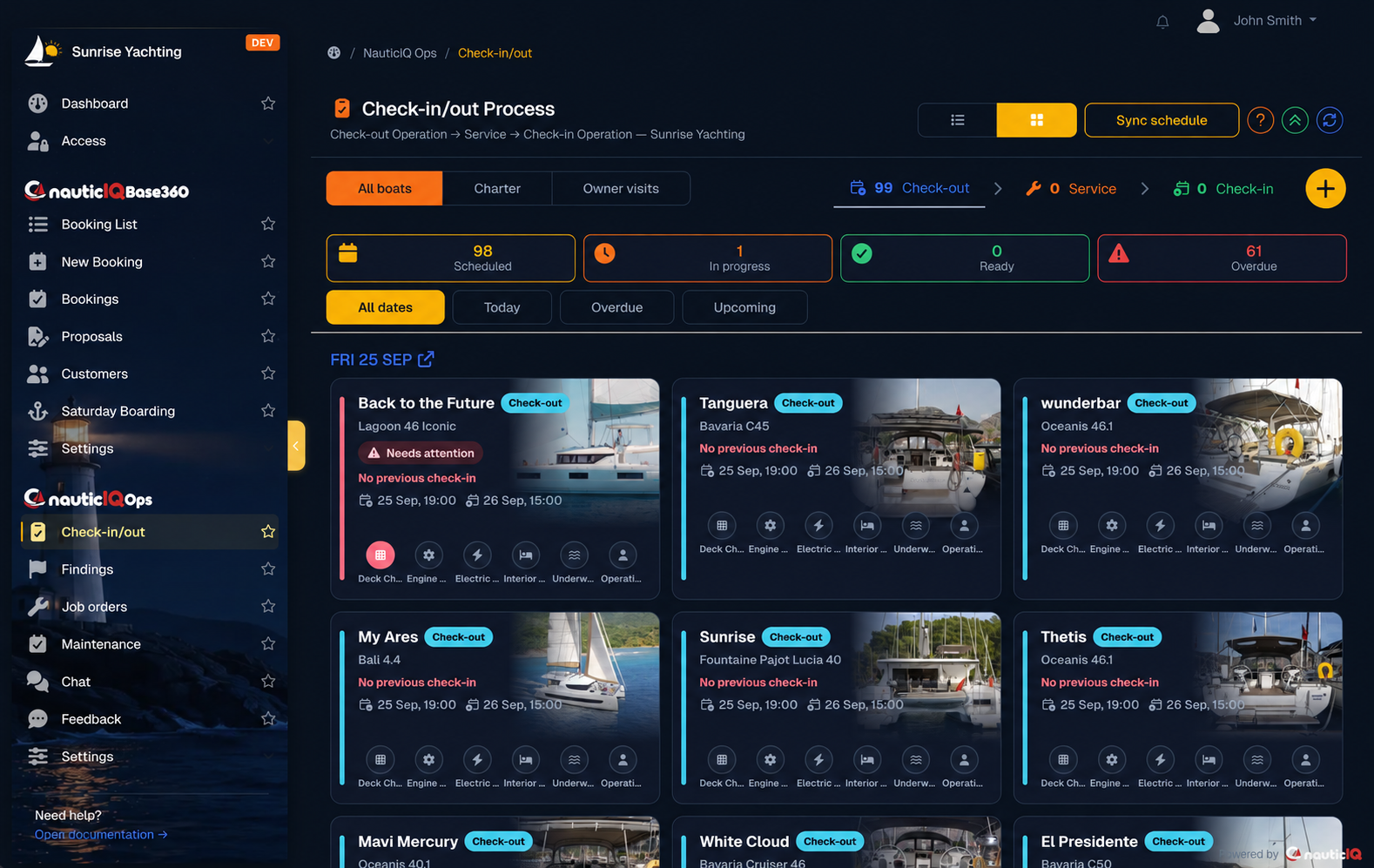
Bring returns, preparation and departures into one operational view. Track responsibilities and the work still outstanding.
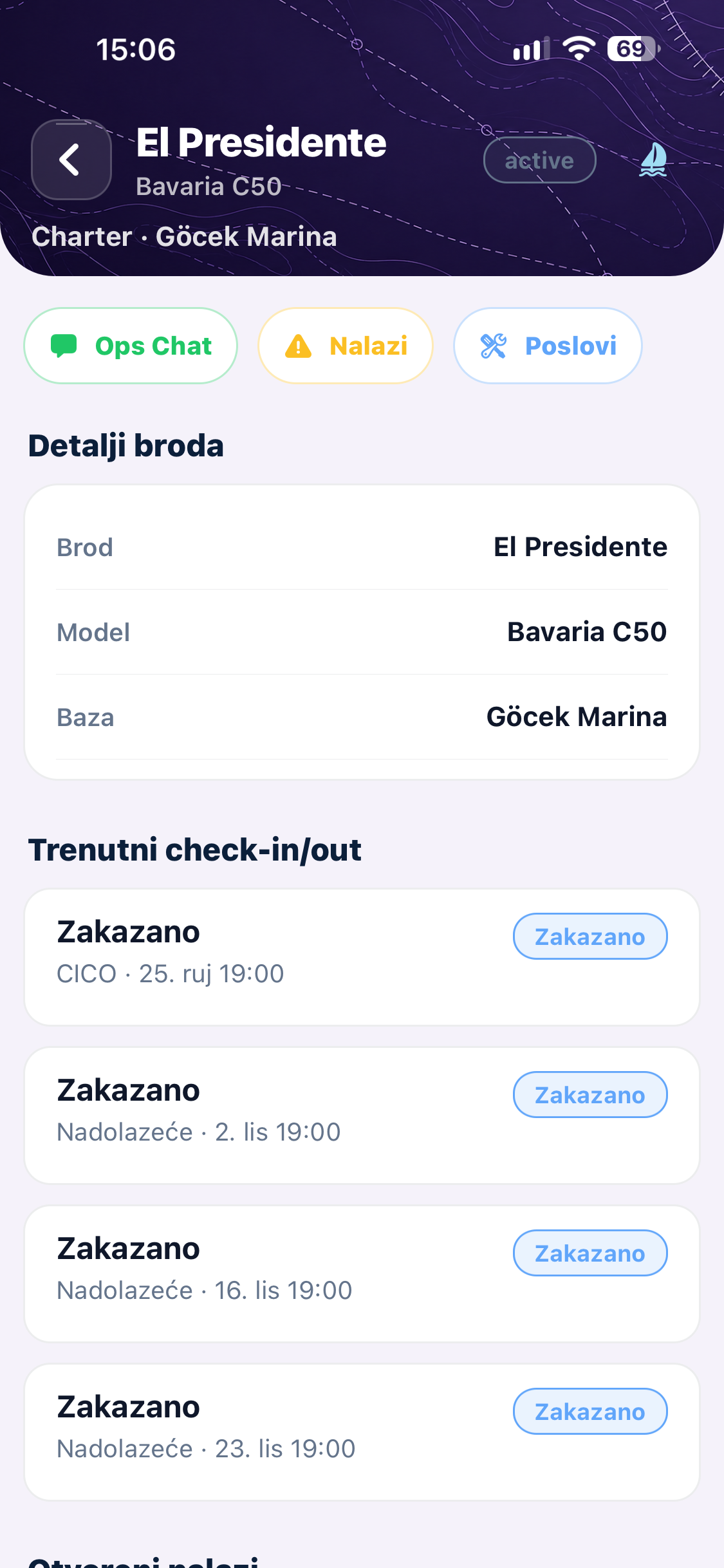
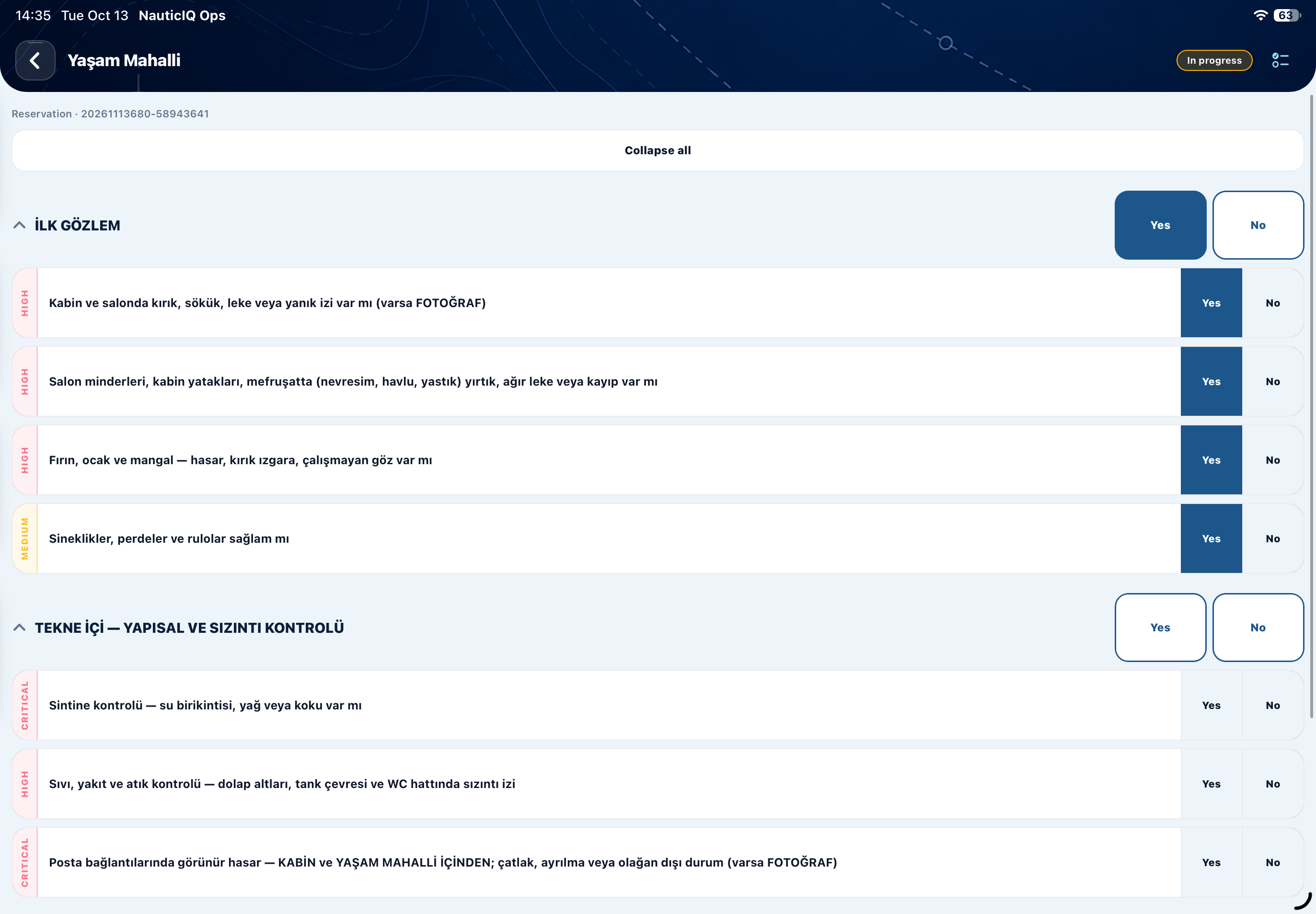
Follow structured checks, compare boat condition, capture photographs and collect signatures on your staff device.
Keep observations and photo evidence with the boat and inspection, so the next person has the context they need.
Turn findings into assigned repair orders. Follow labour, progress and quality checks through to completion.
Direct and group conversations, photos and documents, connected to the boats, inspections and repairs your team is discussing.
Coordinate checks and deliveries, review open work and see the required sign-offs before the next handover.
Help your staff work in their language, with multilingual tools for the people doing the work.
Work on iPhone, iPad and Android, use the desktop app on macOS or Windows, or access Ops Cockpit in your browser.
Ops in action
Run your base in your browser with Ops Cockpit, or use the macOS or Windows desktop app. Take Ops aboard on your phone or tablet. The same operation, wherever the work takes you.




Team communication
A photo of a finding. An instruction for a technician. A question before handover. Keep the discussion connected to the boat, inspection or repair it concerns.
Use direct and group conversations to share photographs, documents and instructions with the people involved.

How it works
From the return inspection to the next departure, everyone can see their part of the work.
Integrations
NauticIQ starts with your existing operation. In Ops, NauSYS and MMK connections bring your fleet and bookings into daily work, keeping your base team aligned as plans change.
Priced by included boats. Annual billing is 10× monthly (2 months free).
50% off First year on all Ops plans. White-label apps excluded.
50% off first year
€245 / year was €490
Up to 5 boats
50% off first year
€495 / year was €990
Up to 10 boats
50% off first year
€995 / year was €1,990
Up to 40 boats
Unlimited boats
Before you start
No. Your staff lead inspections and handovers on their devices, including collecting signatures. Guests do not need to install or learn another app.
With a supported NauSYS or MMK connection, your fleet and bookings synchronise into Ops. Updates keep the operational schedule aligned as bookings change.
Ops can be used as a standalone solution for your base team, alongside your existing booking operation.
Ops supports multilingual working. We can walk through the language options your team needs during your demonstration.
Request a walkthrough to see the workflows and discuss onboarding for your fleet. Public store and demo access will be shared when available.
See how Ops fits your boats, your people and your working day.
Request a walkthrough